 For your partner
 For a best friend
 Wishes from everyone
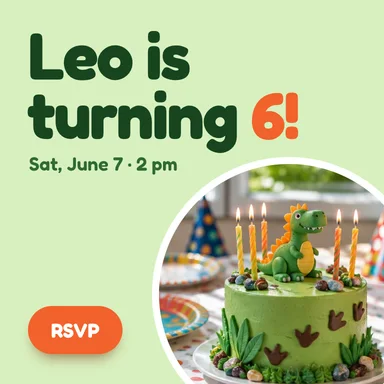
 Party invitation






Problems get fixed before you see them
If something breaks, like a countdown that is a day off, the builder notices, fixes it, and checks the page again before you see it.
Birthday website maker
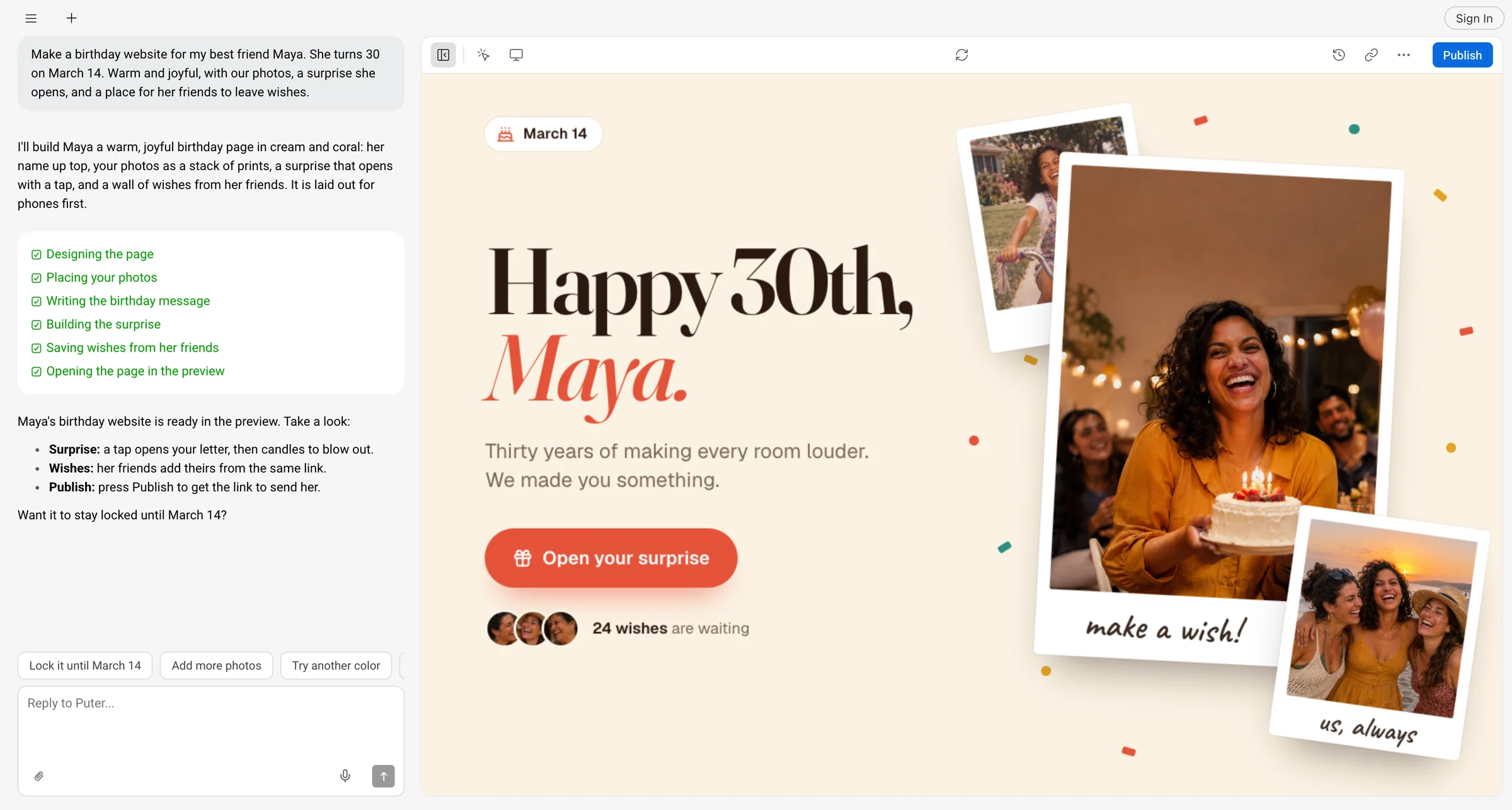
Make a birthday website with AI without writing a line of code. Puter AI Builder turns your photos and words into a birthday surprise link that opens on any phone.
What you get
No template to fill in, no hosting to set up, nothing for them to install. It's all part of every birthday website from the first build.
Start buildingThe headline, your message, a photo gallery, and a surprise at the end, designed around the person rather than adapted from a template. It runs in the live preview the moment it's written.
Attach photos in the chat and paste what you want to say. They are saved into the project and placed where you ask.
An envelope that unfolds, candles to blow out, confetti, a countdown that flips at midnight, a letter that appears line by line. Ask for the moment you have in mind.
Click the headline, a photo, or a button in the preview and say what should be different.
They tap the link in a message and it opens, with nothing to install and no account to make. It works the same on a tablet or a computer.
Hosting is included. Send the link to one person or the whole family: more visitors never cost you more. How it works.
Ready for the day
A birthday page gets opened once, on a phone, often in the middle of a party. It has to work the first time.
If something breaks, like a countdown that is a day off, the builder notices, fixes it, and checks the page again before you see it.
Every change is saved as a version. If the extra confetti was too much, go back to the page before it in one click.
Download the whole website whenever you like. It's built from standard web files, so the photos and the message never get stuck inside the builder.
How to make a birthday website
From an idea to a link in their messages.
Their name, the birthday, and the mood: sweet, funny, or elegant. Say what belongs on the page, like photos, a letter, or a countdown.
Attach pictures in the chat and paste what you want to say. A first version is usually ready in a couple of minutes.
Ask for their favorite color, an inside joke, candles to blow out. Or click anything in the preview and say what should change.
Press Publish to get a link you can text, post in the group chat, or write inside a card. Nothing is public until you publish.
Beyond a card
Most birthday page makers drop a name into a template. Every page here runs on Puter, so it can do what a template can't.
Turn the page into a wish wall where friends and family each leave a message, or a party invitation that collects RSVPs and keeps a headcount. What people send is saved, and there are no servers for you to set up or pay for.
A quiz on how well their friends know them, a scavenger hunt with a clue behind every tap, or a small game with them as the hero. Describe it and it gets built, the same way as the rest of the page.
FAQ
Can't find the answer? Ask the builder itself; it knows what it can do.
Open the builderA birthday website is a small web page made for one person's birthday: their name, a message, photos, and usually a surprise, such as candles to blow out or a countdown to the day. You send it as a link, so it opens on their phone like a card they can keep.
A birthday website maker builds that page for you. With Puter AI Builder you describe the person and what you want to say, and the AI writes and designs the page, shows it running, and publishes it to a link when you are happy with it.
Open Puter AI Builder and describe the page in a sentence or two: who it is for, how old they are turning, and the mood you want. Attach a few photos and paste your message. A first version appears in the preview in a couple of minutes.
From there, ask for changes in plain language or click the part you want changed. When it looks right, press Publish and send them the link.
It is free to start. Every Puter account comes with a free allowance for building and publishing, and when you use it up you can upgrade your account to keep going. Hosting for the published page is included.
No. Every step, from the first description to the published link, works in plain English. If you do have a look in mind, say so: name the colors, the fonts, or the feeling, and the page is designed that way.
Yes, and the three should not look alike. The page is designed from your description rather than filled into a template, so say who it is for and what they are like. A birthday website for a girlfriend or boyfriend can open on a love letter and your photos together. One for a best friend can be a roast with a wall of bad photos. One for a parent or grandparent can collect wishes from the whole family.
Yes. Attach photos in the chat and they are saved into the project and placed where you ask. Paste your letter into the conversation, or ask for a first draft and rewrite it in your own words.
For music, attach an audio file you have the right to use and ask for a play button. Phones only start sound after a tap, so a song cannot play by itself the moment the page opens.
Yes. Ask for a wish wall: everyone opens the same link, writes a message with their name, and it appears on the page. The builder can deploy a Puter serverless worker from the same conversation to collect the wishes, so nobody needs an account to leave one.
Anyone who has the link can post, so ask for a way to remove a wish in case you need it.
Yes. Ask for the date, time, and place, a countdown, and an RSVP form with the questions you need, such as headcount or allergies. Replies are saved, and you can ask for a private page that lists who is coming. The form builder page covers how responses are stored.
Press Publish and the page gets its own link on puter.site, served over HTTPS. Text it, post it in a group chat, or write it inside a card. Nothing is public until you publish.
After that, anyone who has the link can open it, so leave out anything you would not want forwarded. To use a web address of your own, choose Use custom domain in the Publish menu. Custom domains need a paid Puter plan.
Yes. Ask for a countdown that keeps the surprise closed until midnight on the day, then opens it. The page reads the date from the visitor's own device, so treat it as a playful lock rather than a secure one.
Yes. Pages are laid out for phones from the start, and the same link works on a tablet or a computer. Before you send it, open the link on your own phone to see exactly what they will see.
Yes. Puter AI Builder runs in any modern browser and is fully usable on a phone, with the chat and the preview as two views you switch between, so you can add photos from your camera roll and check the page on the same device.
Yes. Edit the page, publish again, and the same link shows the new version. That makes it easy to add wishes that arrive late, fix a typo, or bring the page back next year with new photos.
Most errors are caught before you see them: Puter AI Builder reloads the preview after each change, watches for errors, and sends them back to the AI to fix and check again.
For everything else, say what is wrong in one sentence, or click the part of the page and describe the fix. If a change made the page worse overall, version history lets you restore an earlier one.
Yes. The design, the words, and the files are yours. Download the whole project as a zip whenever you like. It is standard HTML, CSS, and JavaScript with no build step, so it opens straight off your disk or on any web host.
Start building
Make it with AI, no coding required. Free to start, hosting included.