
Streaming replies
Answers appear word by word as they are written, with a typing indicator while the first words arrive.
Template
A clean chat interface with streaming answers, Markdown and code formatting, and a sidebar of past conversations that follows each person across devices. Copy it, then give the assistant a job, a name and a look of your own.
Free with a Puter account. Your copy is yours to change, publish or download.
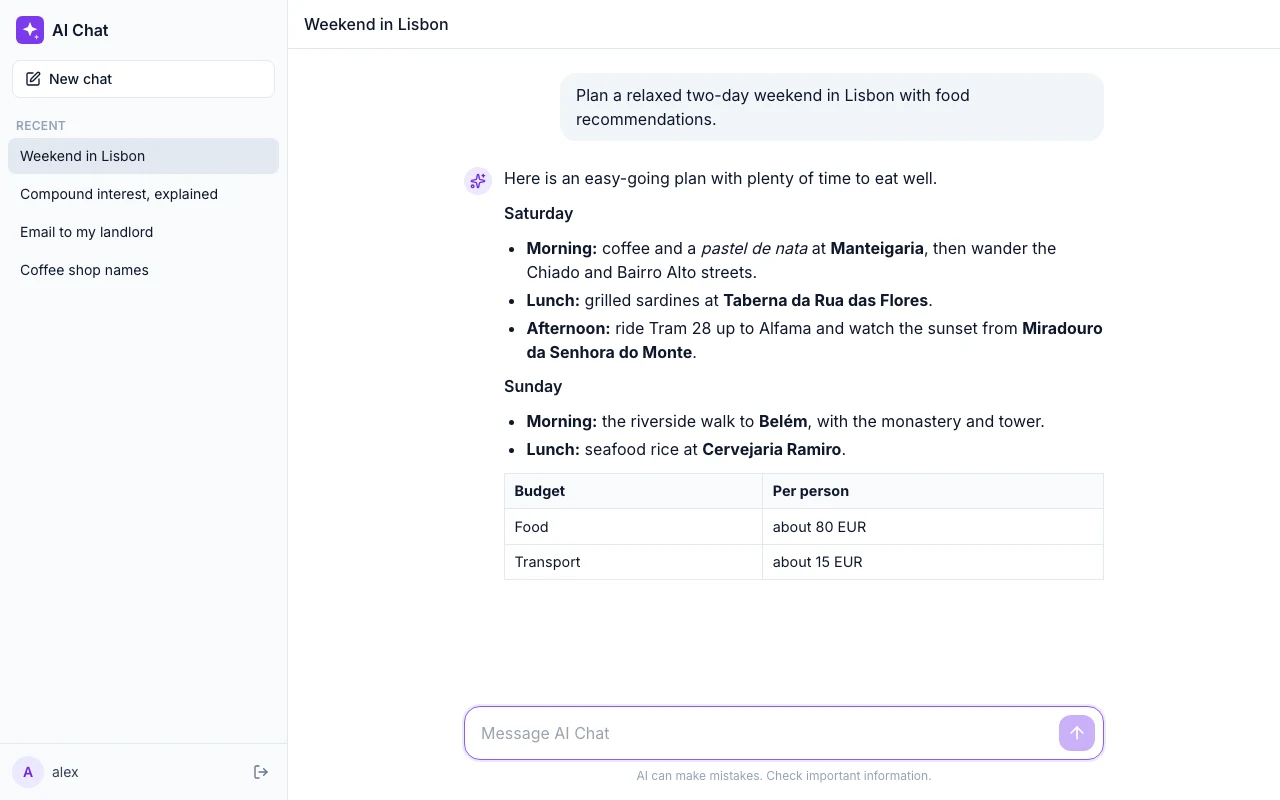
Answers appear word by word as they are written, with a typing indicator while the first words arrive.
Every chat is kept in the signed-in person’s own Puter storage, with a sidebar to reopen or delete them.
Lists, tables, links and code blocks are rendered cleanly, and sanitized before they are shown.
People sign in with their own Puter account, so their conversations and AI usage are theirs, not yours.
Press Use this template and sign in with Puter. A new project with every file of the AI Chat Assistant template appears in your account.
Tell the builder what you want in plain language: your content, your colors, a new feature. It edits the code and shows the result in a live preview.
Put it on a public address with one click, or download the files and host them anywhere.
Your copy opens with these suggestions ready to send. Pick one, or describe a change of your own.
Turn the assistant into a patient cooking coach: change its instructions, its name, the starter prompts and the colors to match.
Add a menu in the header to choose which AI model answers, and remember my choice.
Let me attach an image to a message so the assistant can describe it or answer questions about it.
Add a dark mode that follows my system setting, with a toggle in the sidebar that remembers my choice.
Add a button to export the current conversation as a Markdown file.
Each person who uses it signs in with their own Puter account, and their usage is covered by that account. Your costs as the maker do not grow with the number of people chatting.
Yes. Describe the assistant you want, for example a writing tutor or a support agent for your product, and the builder changes its instructions, starter prompts and design to match.
Yes. Copying a template and building on it is free with a Puter account, and the copy is yours to keep.
No. Your copy is independent from the moment it is made. Updates to the template never touch it, and nothing you change reaches anyone else.
Copy it into your account in a few seconds, then make it yours by describing what you want.
Use this template