
Styles and shapes
Eight style presets from photo to pixel art, four aspect ratios, and three quality levels, all one click away.
Template
Describe an image, pick a style and a shape, and watch it appear in a gallery that follows each person across devices. Copy it, then turn it into a logo maker, a sticker studio, a product photo tool or anything else that starts with a picture.
Free with a Puter account. Your copy is yours to change, publish or download.
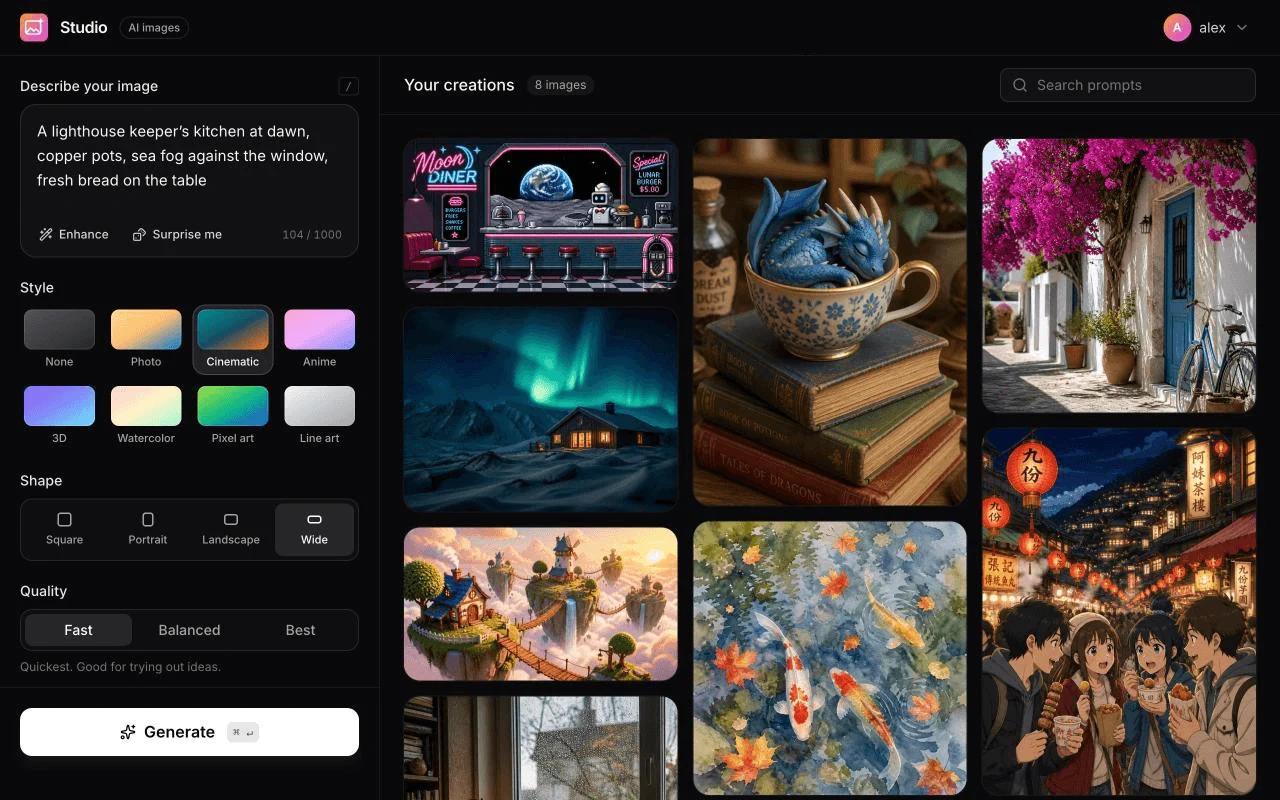
Eight style presets from photo to pixel art, four aspect ratios, and three quality levels, all one click away.
Enhance turns a few words into a detailed prompt with AI, and Surprise me fills in an idea when you need one.
Every image is saved to the signed-in person’s own Puter storage, with search, a full-screen viewer and downloads.
People sign in with their own Puter account, so their images and AI usage are theirs, not yours.
Press Use this template and sign in with Puter. A new project with every file of the AI Image Studio template appears in your account.
Tell the builder what you want in plain language: your content, your colors, a new feature. It edits the code and shows the result in a live preview.
Put it on a public address with one click, or download the files and host them anywhere.
Your copy opens with these suggestions ready to send. Pick one, or describe a change of your own.
Let me upload a photo and describe a change, like "make it winter" or "turn it into a watercolor", and create a new image from it.
Add a menu to the create panel to choose which AI image model to use, and remember my choice.
Add a count option from 1 to 4, so one prompt creates that many variations side by side.
Let me organize my images into named collections, with a filter above the gallery to show one collection at a time.
Add a light mode that follows my system setting, with a toggle in the header that remembers my choice.
Each person who uses it signs in with their own Puter account, and their usage is covered by that account. Your costs as the maker do not grow with the number of images created.
Yes. Describe what you want, for example a logo maker, a children’s book illustrator or a tool for product photos, and the builder changes the styles, example prompts and design to match.
In the storage of whoever made them: each image is a file in their own Puter account, and the gallery list sits in their key-value store. Nothing is shared with you or with other people using the app.
Yes. Copying a template and building on it is free with a Puter account, and the copy is yours to keep.
No. Your copy is independent from the moment it is made. Updates to the template never touch it, and nothing you change reaches anyone else.
Copy it into your account in a few seconds, then make it yours by describing what you want.
Use this template