
Quick quote in the hero
Pick a car, SUV, pickup, hybrid or electric car and a job, and see the price range, time in the shop and whether you can wait for it.
Template
A one-page site for an independent garage, in a graphite and safety-yellow workshop look. A visitor picks their vehicle and a job in the hero and sees the typical price range, time in the shop and warranty. A warning light guide tells drivers what a light means and whether to keep driving. The booking form builds a work order as they pick services and a drop-off day, then sends it to your email or form service. The page also shows your services and prices, specials, recent jobs, reviews, hours and location. Copy it, then describe your shop and the page changes to fit.
Free with a Puter account. Your copy is yours to change, publish or download.
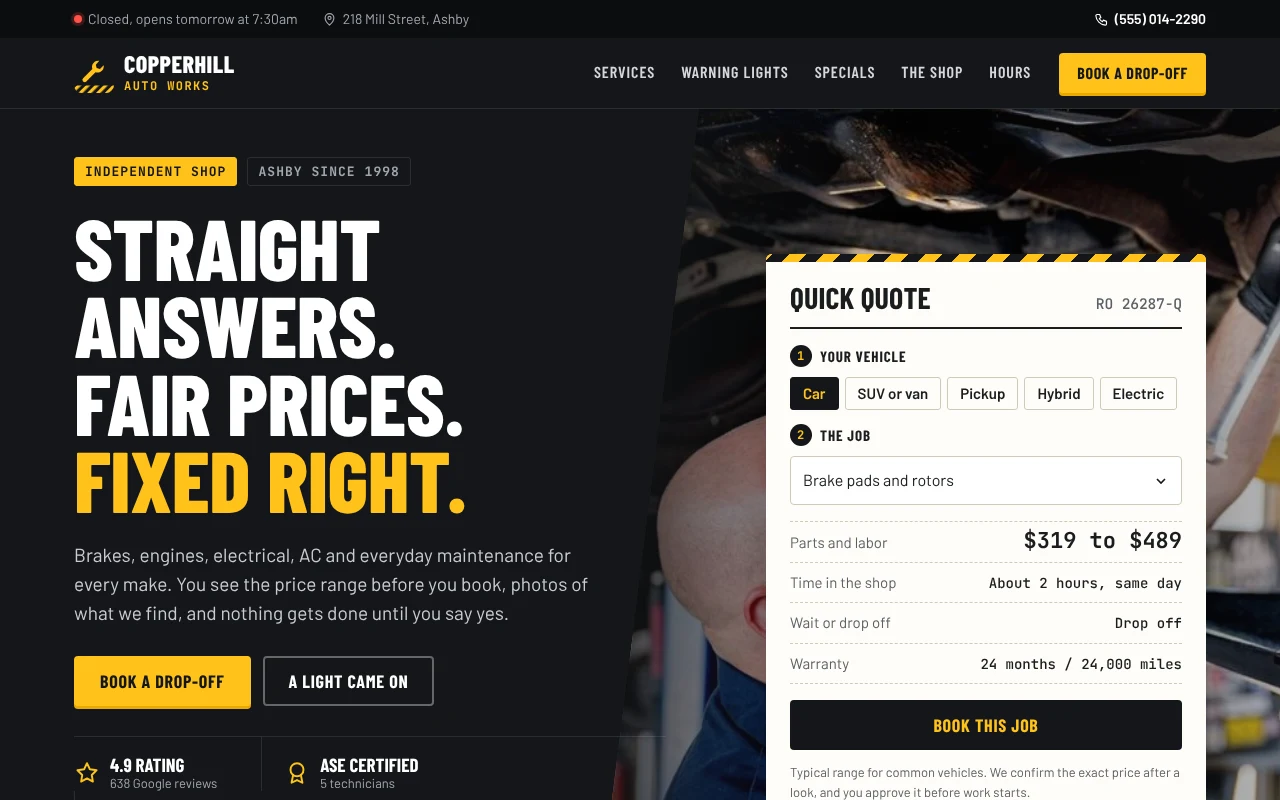
Pick a car, SUV, pickup, hybrid or electric car and a job, and see the price range, time in the shop and whether you can wait for it.
Tap a dashboard light to see what it means, how urgent it is and what to do now, with a button to book a check.
Visitors pick services and a drop-off day, and a live work order adds up the estimate before they send it.
Service cards with a starting price and time, filtered by category, all read from one price list.
Coupons with an end date hide themselves once the offer is over, and fill the booking form when used.
Opening hours and holidays are worked out in your timezone, so the page shows whether you are open and the next days you take cars.
Press Use this template and sign in with Puter. A new project with every file of the Auto Repair Shop template appears in your account.
Tell the builder what you want in plain language: your content, your colors, a new feature. It edits the code and shows the result in a live preview.
Put it on a public address with one click, or download the files and host them anywhere.
Your copy opens with these suggestions ready to send. Pick one, or describe a change of your own.
Replace the stock photos and sample jobs with my own. I will upload the photos and tell you the vehicle, mileage, problem, fix and total for each job.
Make the booking form save each drop-off instead of opening an email, and add a private page where only I can see them, sorted by drop-off day.
As copied, the form opens the visitor’s email app with the work order filled in. Add a form endpoint and it posts there instead, or ask the builder to save bookings and it adds a private page where you read them.
They are typical ranges you set for each job, scaled for the vehicle type. The page says you confirm the exact price after a look. It does not connect to shop management software such as Tekmetric or Shopmonkey.
No. The shop, reviews, rating, offers, jobs and license number are placeholders, and the photos are free stock images. The page labels them as samples until you replace them.
Yes. Copying a template and building on it is free with a Puter account, and the copy is yours to keep.
No. Your copy is independent from the moment it is made. Updates to the template never touch it, and nothing you change reaches anyone else.
Copy it into your account in a few seconds, then make it yours by describing what you want.
Use this template