
A quote builder that prices as you go
Visitors pick their monthly expenses, accounts, add-ons and how far behind they are, and get an itemized monthly price, a one-time catch-up fee and the date their books will be current.
Template
A bookkeeping firm website with a live monthly quote builder, a sample reconciliation and report, and a call booking form. Copy it and edit it by chat.
Free to start with a Puter account. Your copy is yours to change, publish or download.
Visitors pick their monthly expenses, accounts, add-ons and how far behind they are, and get an itemized monthly price, a one-time catch-up fee and the date their books will be current.
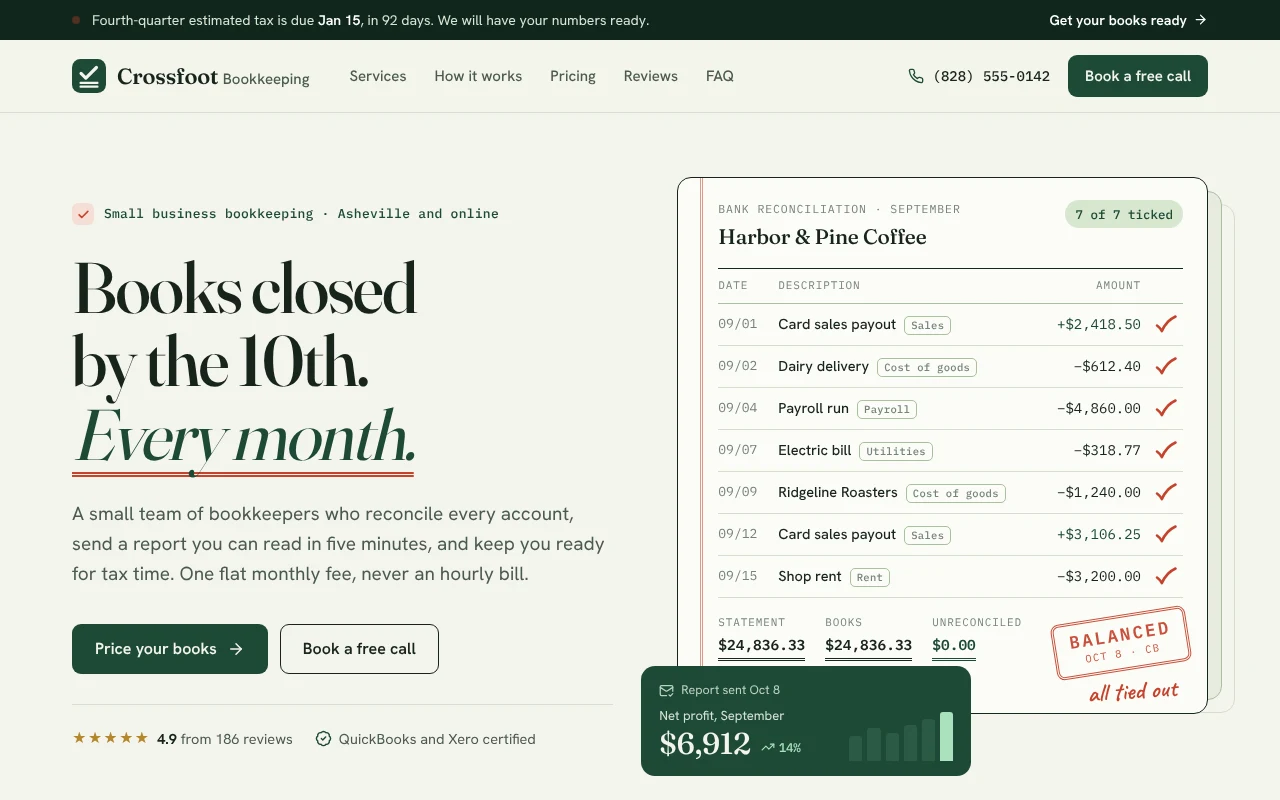
The hero is a sample bank reconciliation: every line gets a red pencil tick, the unreconciled amount counts down to zero, and the month is stamped balanced.
Tabs for profit and loss, cash and taxes ahead, each with its totals and a plain-English note from the bookkeeper.
A 31-day strip shows when statements come in, when the books close and when the review call happens, and the top bar counts down to the next estimated tax date.
Six service cards that preset the quote, a T-account of what a client hands over and gets back, three bookkeepers, three reviews and seven common questions.
Name, business, best time to call and where the books stand today, with the quote attached. It posts to a form service of your choice or opens an email to the firm.
Press Use this template and sign in with Puter. A new project with every file of the Bookkeeping Service template opens in the builder.
Tell the builder what you want in plain language: your content, your colors, a new feature. It edits the code and shows the result in a live preview.
Put it on a public address with one click, or download the files and host them anywhere.
Yes. Every price lives in one place, and the quote builder and booking summary follow it. Tell the builder your fees and it updates them.
By default the form opens an email to the firm with the request and quote filled in. Ask the builder to send requests to a form service instead, or to save them to a private list only you can see.
Yes. Describe your services and the builder will rename the sections, change the quote options and rewrite the copy for a CPA firm, a tax preparer or a fractional CFO.
Copying a template is free with a Puter account, and the copy is yours to keep. Changing it with AI uses your account's free allowance, and when that runs out you can upgrade.
No. Your copy is independent from the moment it is made. Updates to the template never touch it, and nothing you change reaches anyone else.
It opens in the builder in a few seconds. Then make it yours by describing what you want.
Use this template