
A live store clock
The hero shows the time at the store in its own time zone, with how many counter services are running right now.
Template
A free convenience store website template with a live store clock, shelf-tag products, order-ahead pickup, an aisle finder and a weekly deals receipt.
Free to start with a Puter account. Your copy is yours to change, publish or download.
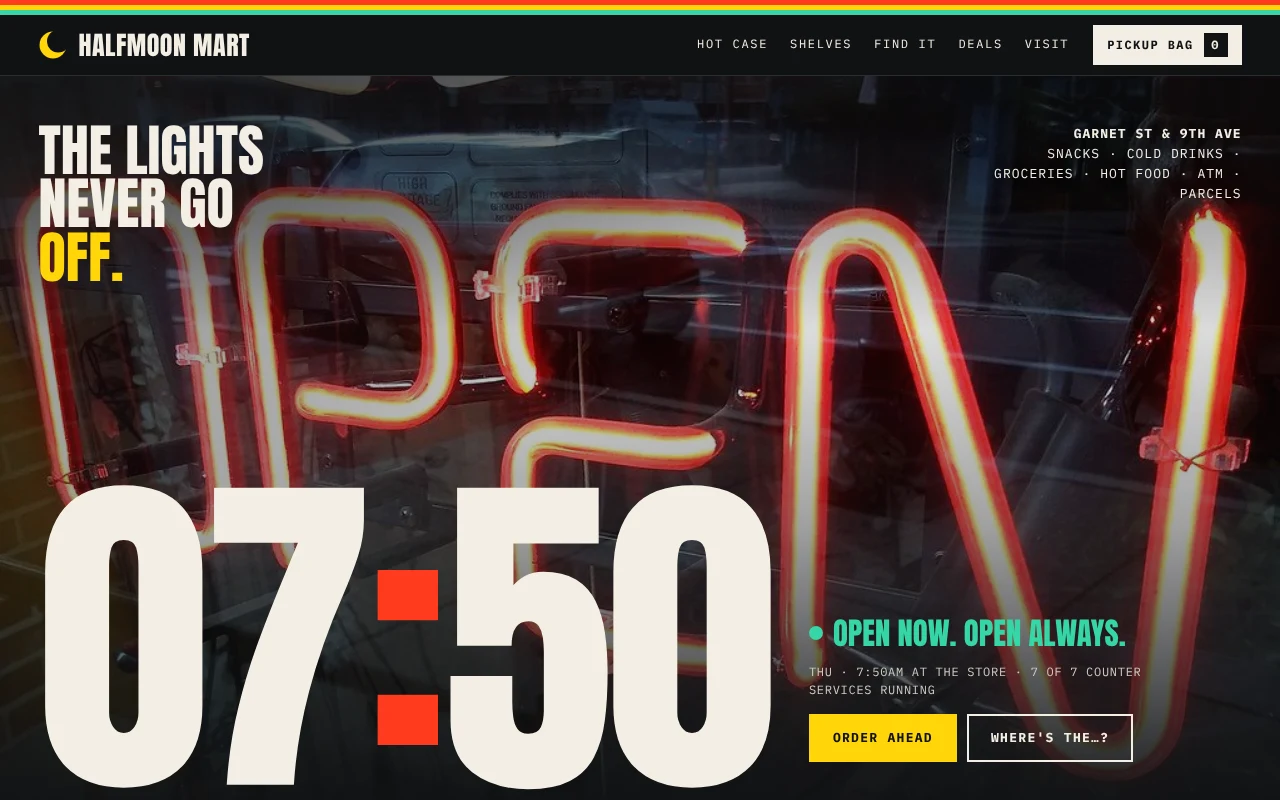
The hero shows the time at the store in its own time zone, with how many counter services are running right now.
Products sit on a shelf rail as yellow price tags, grouped by aisle. One tap puts an item in the pickup bag.
Visitors pick a pickup time, leave a name and phone, and get a pickup ticket number to show at the register.
An aisle finder answers like the clerk would: which aisle, which shelf, and a button to add the item to the bag.
A day timeline and a live countdown to the next fresh batch, with what comes out of the oven and the hot menu.
Deals print on a torn receipt with what each one saves, and every counter service shows open or closed right now.
Press Use this template and sign in with Puter. A new project with every file of the Convenience Store template opens in the builder.
Tell the builder what you want in plain language: your content, your colors, a new feature. It edits the code and shows the result in a live preview.
Put it on a public address with one click, or download the files and host them anywhere.
Yes. They are plain data at the top of app.js. Ask the builder to swap in your own products, prices, aisles and deals, and the shelves, the finder and the receipt all follow.
Out of the box, an order is saved in the visitor's browser and they get a ticket number to show at the counter. Ask the builder to email or text each order to you, and it will add a small backend for it.
Yes. Tell the builder your opening hours and it will change the hero to show open or closed, and limit pickup times to when you are open.
Copying a template is free with a Puter account, and the copy is yours to keep. Changing it with AI uses your account's free allowance, and when that runs out you can upgrade.
No. Your copy is independent from the moment it is made. Updates to the template never touch it, and nothing you change reaches anyone else.
It opens in the builder in a few seconds. Then make it yours by describing what you want.
Use this template