
Every section a portfolio needs
Hero with contact details, a project index, project cards, services with typical timelines, a bio with work history, and a contact section.
Template
A hero laid out like a printer’s proof sheet, with your name set large and your best projects fanned out beside it, a work index printed on a typewriter roll, six project cards with print specs, a services list, a short bio and a contact section. Copy it, then describe your own work and the page changes to fit.
Free with a Puter account. Your copy is yours to change, publish or download.
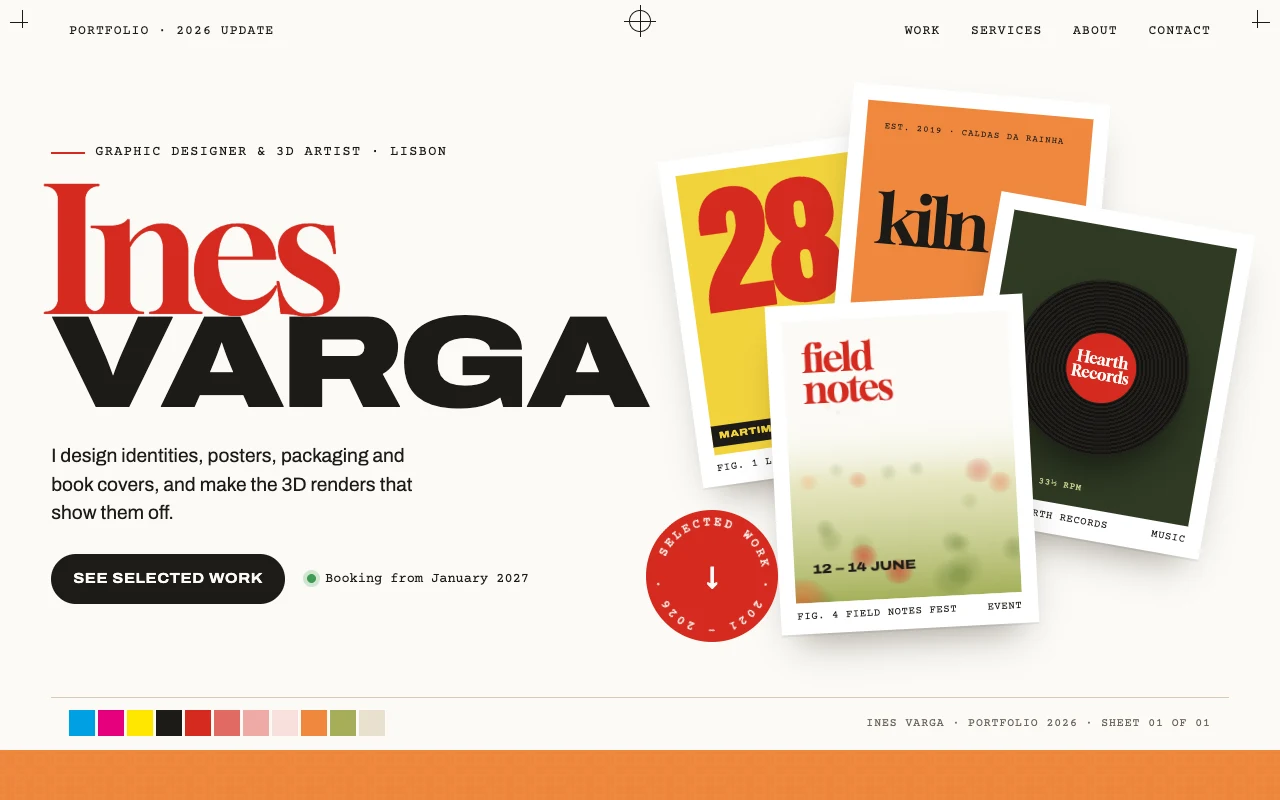
Hero with contact details, a project index, project cards, services with typical timelines, a bio with work history, and a contact section.
Each card lists format, production method and year, the details art directors and printers ask about first.
Projects, services and history are plain lists at the top of the script. Add a project there and it shows in the index and the grid.
The hero, the work index and the project grid rearrange into one column on small screens.
Press Use this template and sign in with Puter. A new project with every file of the Designer Portfolio template appears in your account.
Tell the builder what you want in plain language: your content, your colors, a new feature. It edits the code and shows the result in a live preview.
Put it on a public address with one click, or download the files and host them anywhere.
Your copy opens with these suggestions ready to send. Pick one, or describe a change of your own.
Replace the drawn project covers with my own images. I will upload one image for each project.
Give each project its own case study page with a large image, the brief, the process and the result, opened from its card.
Add a contact form to the Say hello section that saves each message, and a private page where only I can read them.
Change the red and orange palette to deep blue and lemon yellow across the whole page, including the hero and the work section.
Yes. The covers as copied are drawn shapes standing in for project images. Upload your images and ask the builder to use them, or give a project an image path in the script.
Not as copied. It shows your email with a copy button, your phone number and your links. Ask the builder for a contact form and it adds one that saves messages to your account.
Yes. Copying a template and building on it is free with a Puter account, and the copy is yours to keep.
No. Your copy is independent from the moment it is made. Updates to the template never touch it, and nothing you change reaches anyone else.
Copy it into your account in a few seconds, then make it yours by describing what you want.
Use this template