
A panel planner visitors can play with
Homeowners switch on an EV charger, heat pump, induction range or hot tub and see estimated demand against their main service, a plain verdict and a ballpark price.
Template
A free electrician website template with a panel load planner, a circuit-style service list, a 24/7 emergency strip and a booking form you edit with AI.
Free to start with a Puter account. Your copy is yours to change, publish or download.
Homeowners switch on an EV charger, heat pump, induction range or hot tub and see estimated demand against their main service, a plain verdict and a ballpark price.
One button carries the planner summary into the booking form, so the first call already knows the service size, the new loads and whether an upgrade is likely.
Eight services listed like the label inside a panel door. Picking one shows a photo, what is included, the usual time on site and where pricing starts.
A 24/7 number in the header and a notice under the hero that tells visitors what to do about burning smells, sparks or a warm panel before they call.
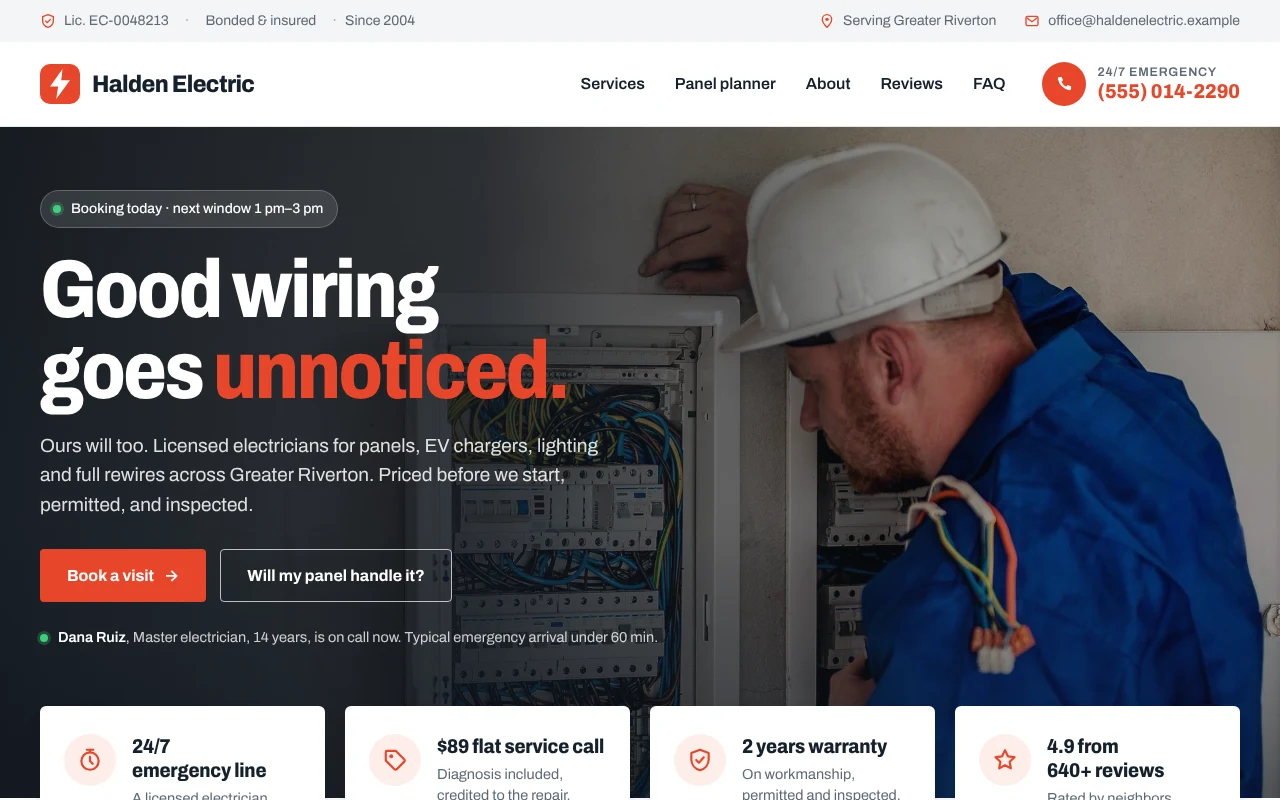
A photo hero with a live next-opening chip and the on-call electrician, promise cards for the call fee, warranty and rating, and an equipment-style rating plate.
The form checks what it needs, then posts to a form service of your choice or opens a ready-to-send email. All content is plain data at the top of app.js.
Press Use this template and sign in with Puter. A new project with every file of the Electrical Contractor template opens in the builder.
Tell the builder what you want in plain language: your content, your colors, a new feature. It edits the code and shows the result in a live preview.
Put it on a public address with one click, or download the files and host them anywhere.
Yes. Service sizes, home baselines, each load's amps and price range, and the upgrade options are plain data at the top of app.js. Ask the builder to change them, or to add loads like a sauna or a second EV charger.
Out of the box, the form opens the visitor's email app with the request filled in and addressed to your business email. Set a form endpoint at the top of app.js to receive requests as JSON instead, or ask the builder to save them in your Puter account.
Yes. They are CC0 and public domain photos from rawpixel and Flickr. Swap in photos of your own crew, vans and finished jobs when you have them: real photos earn more trust than stock.
Copying a template is free with a Puter account, and the copy is yours to keep. Changing it with AI uses your account's free allowance, and when that runs out you can upgrade.
No. Your copy is independent from the moment it is made. Updates to the template never touch it, and nothing you change reaches anyone else.
It opens in the builder in a few seconds. Then make it yours by describing what you want.
Use this template