
Where the truck is, right now
A departure-board strip reads the weekly schedule against the clock: parked and open with a countdown to closing, or the next stop and how long until the window opens.
Template
A free food truck website template with a live "where are we parked" board, the week's route, an order-ahead menu and a catering quote form.
Free to start with a Puter account. Your copy is yours to change, publish or download.
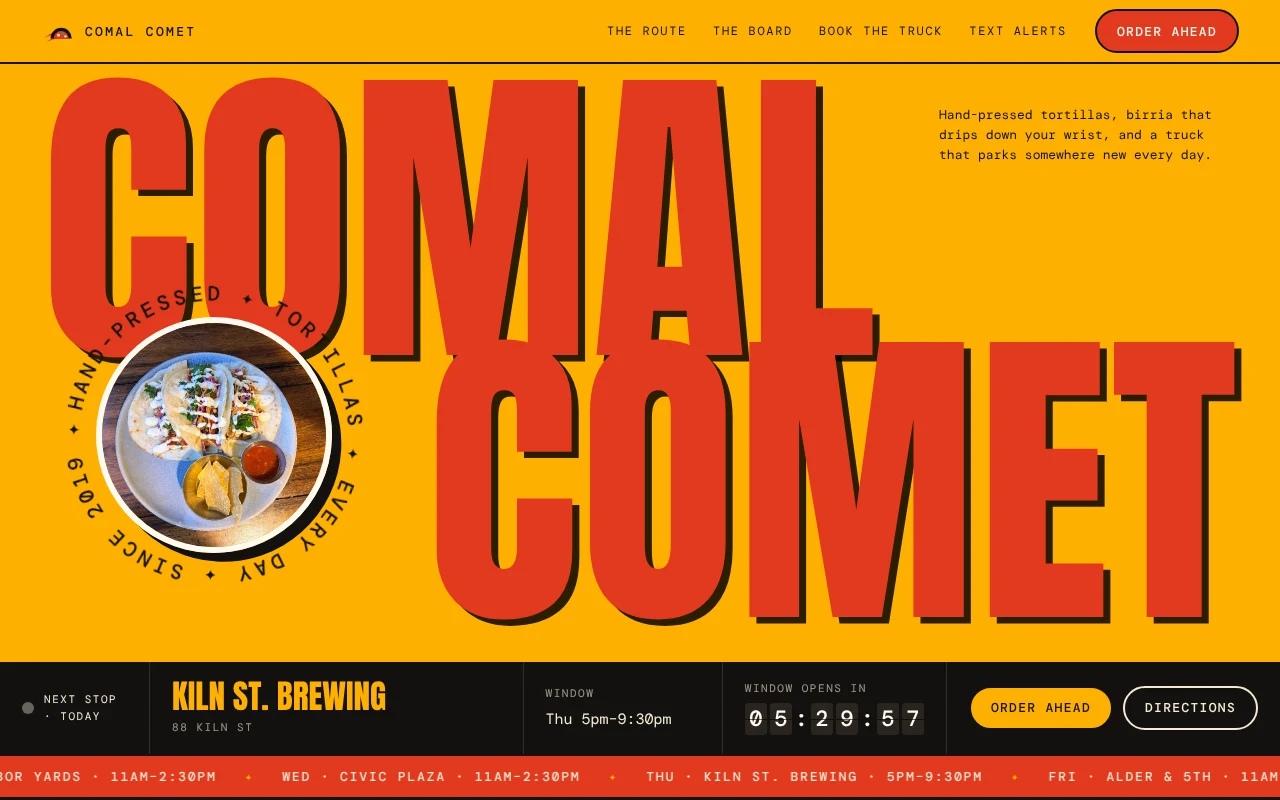
A departure-board strip reads the weekly schedule against the clock: parked and open with a countdown to closing, or the next stop and how long until the window opens.
Every stop drawn along a winding road, today's highlighted, each with directions and an add-to-calendar file so regulars can plan lunch.
The menu is the truck's serving window: add dishes to a paper ticket, pick a stop and a pickup time from its real service hours, and get an order number. Sold-out dishes are marked 86'd.
A booking form with an availability calendar, a guest-count slider and packages, showing the estimate as it changes and handing the request to email.
Visitors pick the neighborhoods they care about to get a text when the truck parks nearby, and a short list answers payment, dietary and dog questions.
Hours, stops, dishes, prices, catering rates and booked dates sit at the top of app.js, so updating the week is a quick edit or a sentence to the builder.
Press Use this template and sign in with Puter. A new project with every file of the Food Truck template opens in the builder.
Tell the builder what you want in plain language: your content, your colors, a new feature. It edits the code and shows the result in a live preview.
Put it on a public address with one click, or download the files and host them anywhere.
It follows the weekly schedule you set in app.js and the visitor's clock, so it always shows where the truck should be now or next. For one-off changes, ask the builder to add a closure or an extra stop to the schedule.
Out of the box the ticket confirms the order on the page and keeps it on the visitor's device. Ask the builder to email each order to you or send it to a form service, and it will wire that up.
Yes. Tell the builder what you serve and it will rewrite the menu, the photos and the copy while keeping the route, the ticket and the catering form working.
Copying a template is free with a Puter account, and the copy is yours to keep. Changing it with AI uses your account's free allowance, and when that runs out you can upgrade.
No. Your copy is independent from the moment it is made. Updates to the template never touch it, and nothing you change reaches anyone else.
It opens in the builder in a few seconds. Then make it yours by describing what you want.
Use this template