
Link buttons with pictures or icons
Each button can start with a small photo, such as a video thumbnail or a product, or with a simple icon.
Template
A free link in bio template with your photo, a short bio, social icons and link buttons with pictures or icons. Publish it and put the link in your bio.
Free to start with a Puter account. Your copy is yours to change, publish or download.
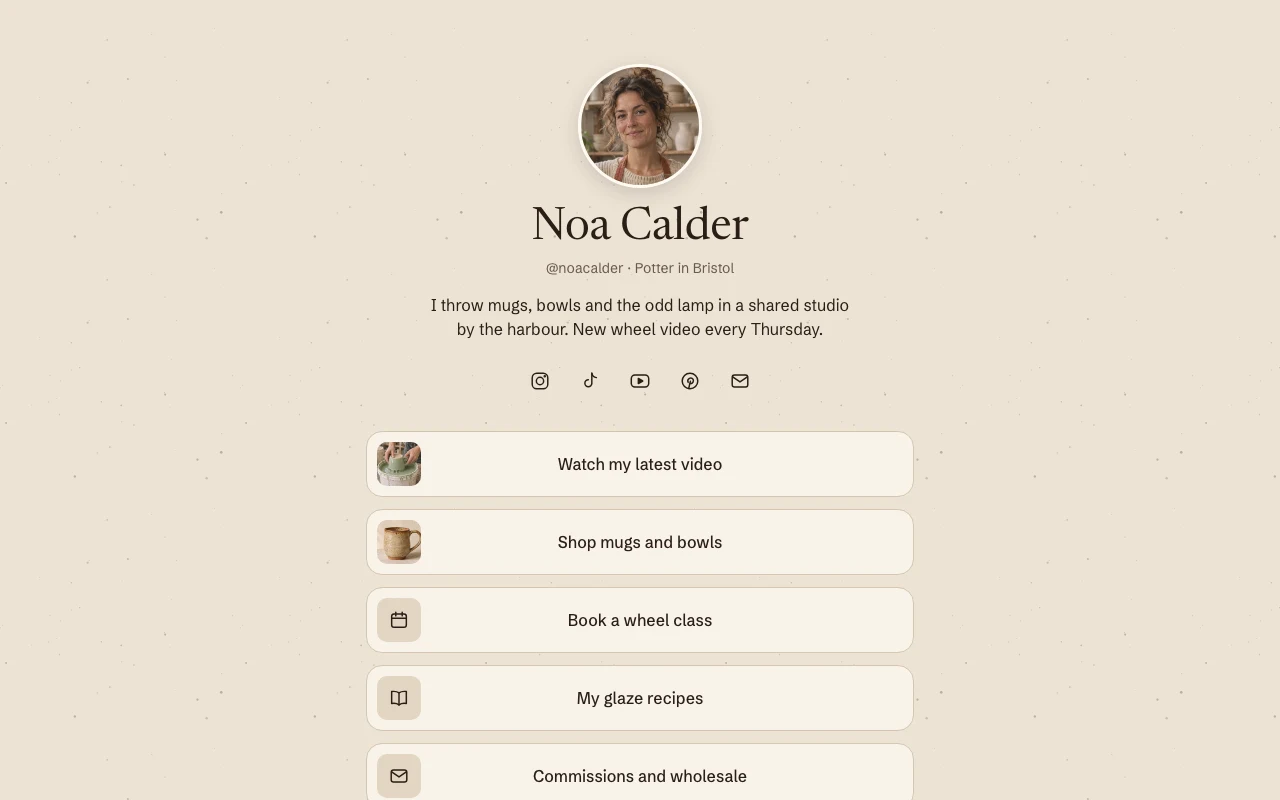
Each button can start with a small photo, such as a video thumbnail or a product, or with a simple icon.
A round profile photo, your name and a short bio sit at the top, with icons for your social profiles underneath.
Most people open a bio link on their phone, so the page is one column with large buttons that are easy to tap.
The page is one HTML file and one stylesheet with no JavaScript, so it loads fast and is easy to change.
Press Use this template and sign in with Puter. A new project with every file of the Link in Bio template opens in the builder.
Tell the builder what you want in plain language: your content, your colors, a new feature. It edits the code and shows the result in a live preview.
Put it on a public address with one click, or download the files and host them anywhere.
It is one page that holds every link you want to share, so the single link in your Instagram or TikTok profile can lead to all of them. Visitors tap the link in your bio, land on this page and choose where to go.
Not as copied. Ask the builder to count link clicks and it adds counting, with a private page that only you can open.
Every published page gets its own puter.site address. Connecting a domain you own needs a paid Puter plan. Ask the builder to connect it after you publish, then add the DNS records it shows you at your domain provider.
Copying a template is free with a Puter account, and the copy is yours to keep. Changing it with AI uses your account's free allowance, and when that runs out you can upgrade.
No. Your copy is independent from the moment it is made. Updates to the template never touch it, and nothing you change reaches anyone else.
It opens in the builder in a few seconds. Then make it yours by describing what you want.
Use this template