
Rate request with a ballpark
Pick the pick-up and delivery cities and the trailer, and see the miles, transit days and a price range before sending it for a firm rate.
Template
A one-page site for an asset-based truckload carrier, styled like a highway at night: asphalt, sign green and safety amber. The card next to the headline has two tabs. A shipper picks the cities and the trailer and sees the miles, transit days, whether it is a lane you run every week and a ballpark price, then sends it for a firm rate. A driver applies in a minute. The page also shows your trailers with their specs, a map and departures board of your lanes, how a load moves, driver pay with a calculator, your authority and insurance, reviews and FAQ. Copy it, then describe your company and the page changes to fit.
Free with a Puter account. Your copy is yours to change, publish or download.
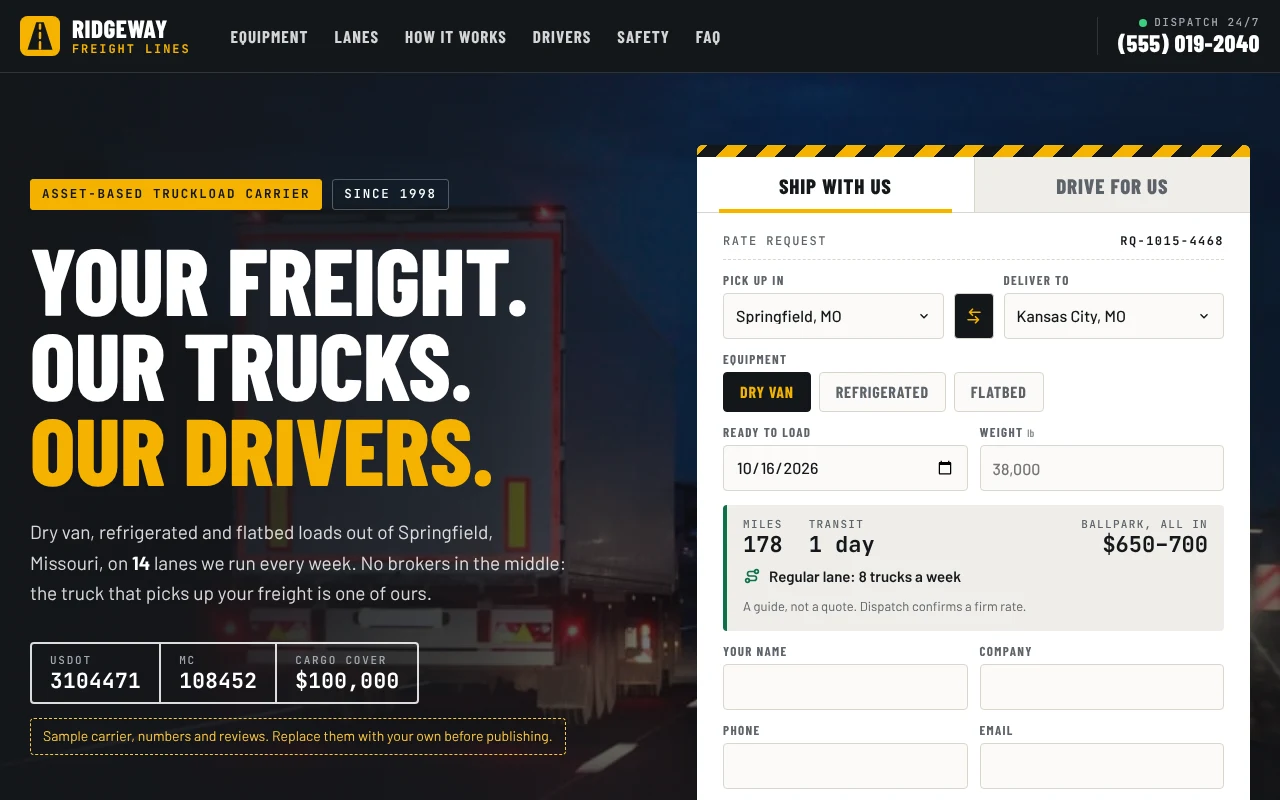
Pick the pick-up and delivery cities and the trailer, and see the miles, transit days and a price range before sending it for a firm rate.
Your home terminal and weekly lanes on a map, with a board of miles, trucks a week and transit days. Pick a lane to price it.
Dry van, refrigerated and flatbed cards with capacity, weight and features, each linking to a rate request for that trailer.
A pay calculator, perks and a one-minute application that says up front what experience you hire.
USDOT and MC numbers, insurance and inspection record in one place, with a link to the public FMCSA record once the numbers are yours.
Rate requests and applications open an email to your dispatch and recruiting addresses, or post to a form service or backend of your own.
Press Use this template and sign in with Puter. A new project with every file of the Trucking Company template appears in your account.
Tell the builder what you want in plain language: your content, your colors, a new feature. It edits the code and shows the result in a live preview.
Put it on a public address with one click, or download the files and host them anywhere.
Your copy opens with these suggestions ready to send. Pick one, or describe a change of your own.
Make the rate request and driver application save each submission instead of opening an email, and add a private page where only I can see them, newest first.
No. It is a ballpark from your rate per mile for each trailer, with a minimum charge and a markup off your regular lanes. The page labels it a guide, and your dispatcher sends the firm rate.
No. Requests go to your email or a form endpoint. It does not book loads, track trucks or post to load boards.
No. The company, USDOT and MC numbers, insurance, safety record, stats and reviews are placeholders, and the photos are free stock images. The page labels them as samples until you replace them.
Yes. Copying a template and building on it is free with a Puter account, and the copy is yours to keep.
No. Your copy is independent from the moment it is made. Updates to the template never touch it, and nothing you change reaches anyone else.
Copy it into your account in a few seconds, then make it yours by describing what you want.
Use this template